Agent Platform
QAI Agent Platform
content and customers, one account.
Already includes everything in QAI Marketing, plus customer management, automated follow-ups, landing pages, booking calendars and payments. If you want both sides handled, this is the one.
First, to be clear: it already contains everything in QAI Marketing
AI images and video, AI Avatars with voice cloning, Traffic, Company Profiles, Products & Services, the Guideline training — anything Marketing has, Agent Platform has.
So Agent Platform cannot be bought alone. It is the upgrade from Marketing, not a separate add-on. If you already subscribe to Marketing and want to move up, you don’t buy twice.
The modules you get on top
The module names match what you see after logging in — easier to line up, and easier to ask support about.
LeadsOS
Contacts and opportunities live here, instead of scattered across spreadsheets and group chats.
WorkflowOS
Agent Platform, with a large set of ready-made workflow templates you can adapt. Applying a template costs from 20 credits.
Landing PageOS
Build landing pages without hiring someone to put up a site.
PlaybookOS™
Turn how you do things into a repeatable playbook.
ConversionOS™
AI replies. The conversation flow and the knowledge base are both configured here.
Media Storage
All your assets in one place.
Reputation
Reviews and reputation management.
Reporting
Performance reports.
Memberships
Members and course content.
Calendars
Booking calendars and automatic reminders.
Payments
Online payments.
AI Studio
AI settings and tools.
WhatsApp and SMS conversations
Customer conversations managed in the platform, so you’re not digging through your phone.
Forms, webinar templates and training
Forms for collecting details, plus templates and training for running webinars.
What it looks like once you’re in
Actual screens from the platform. Swipe for more.
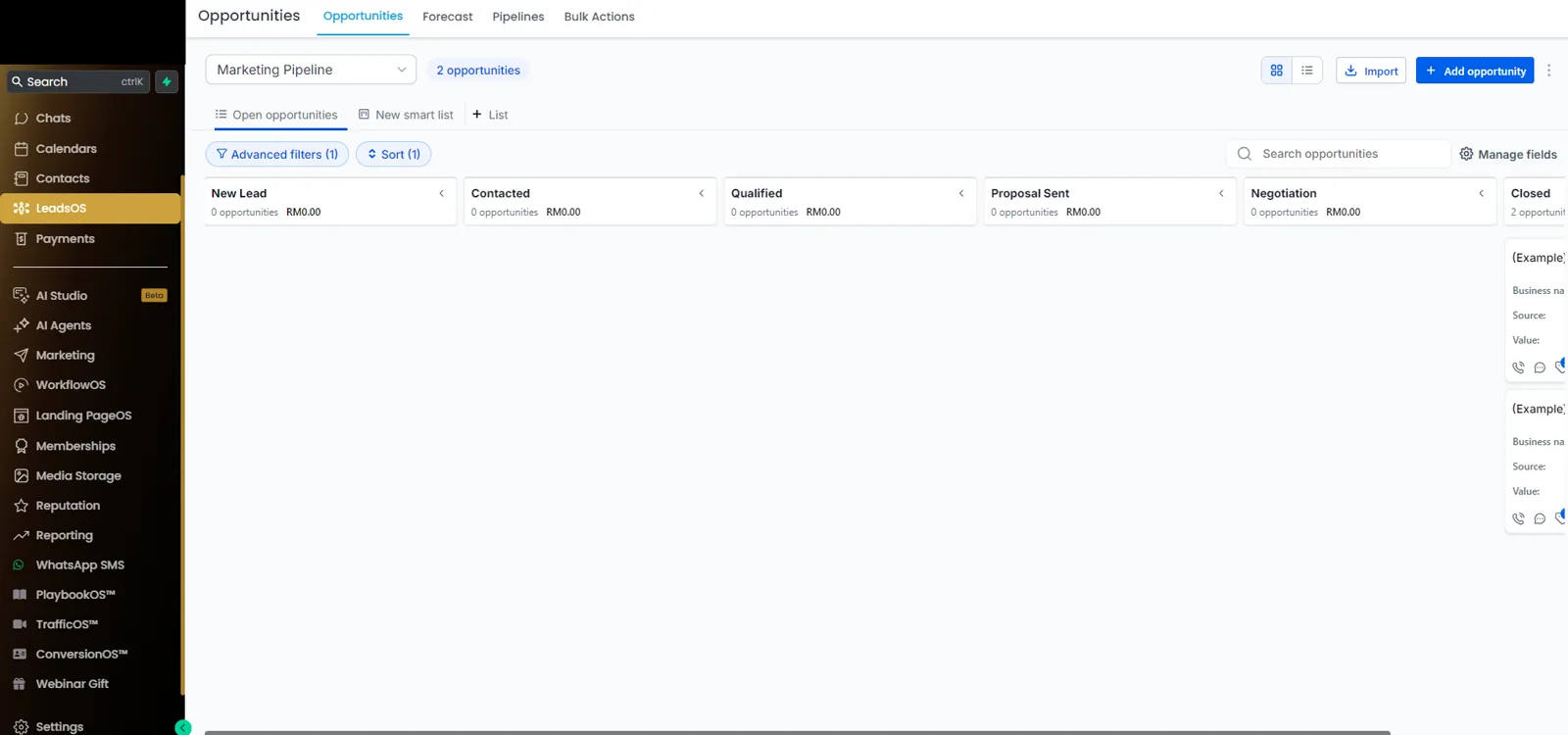
LeadsOS — contacts and opportunitiesOpportunities by stage: New Lead → Contacted → Qualified → Proposal Sent → Negotiation → Closed. You can see who is stuck where, without digging through spreadsheets and group chats.
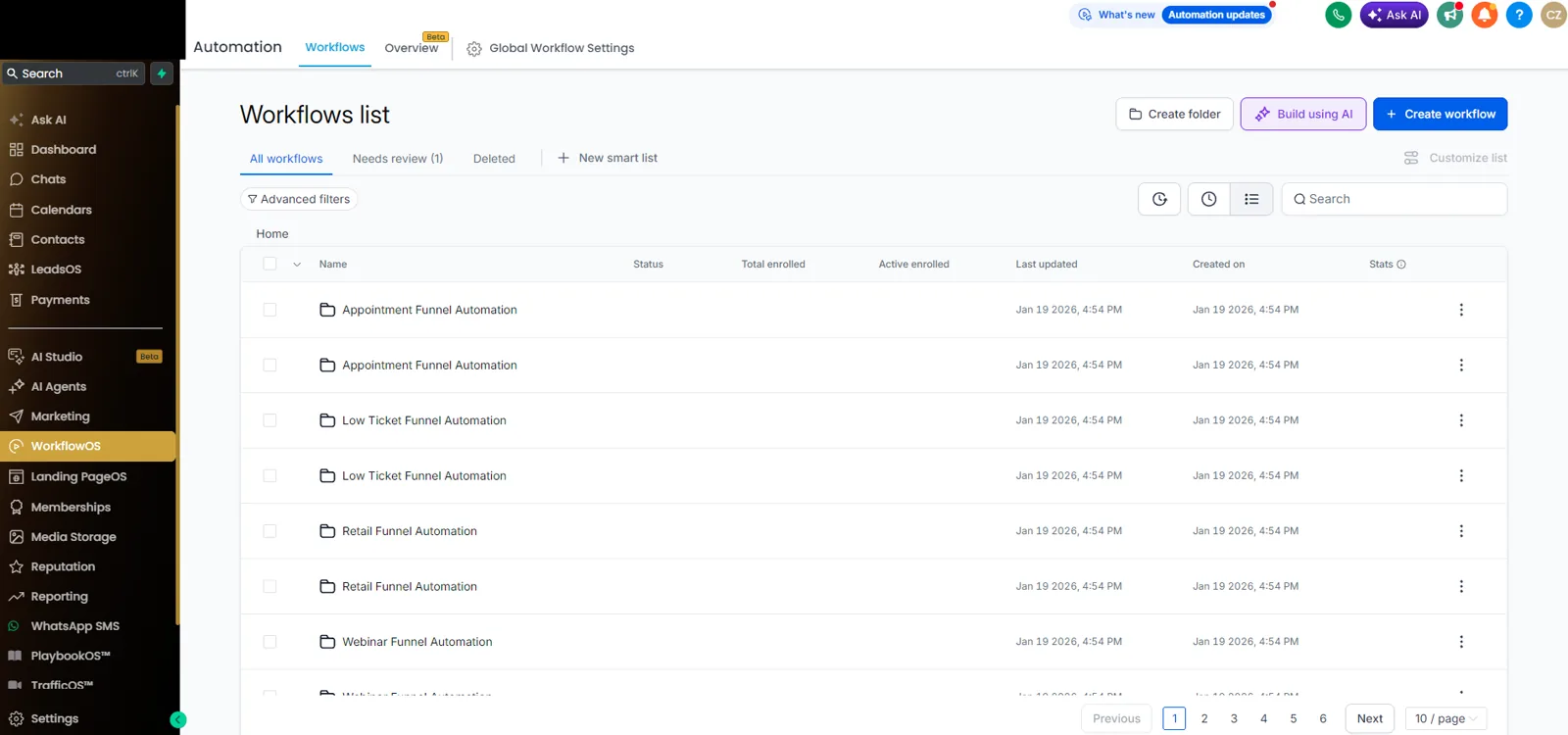
Ready-made workflows in WorkflowOSAppointments, low-ticket, retail, webinars — pick a folder and adapt it to your process.
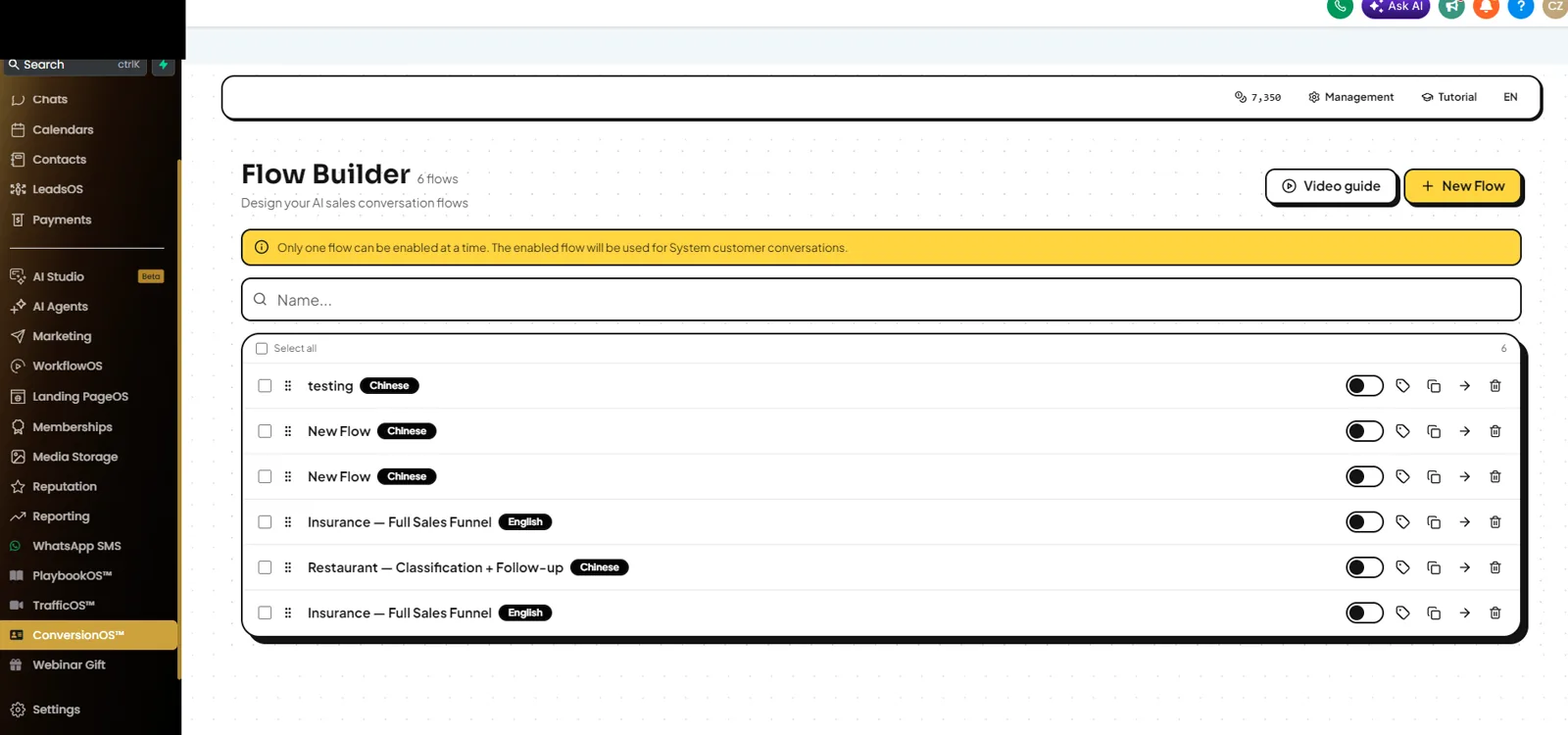
Setting up AI replies in ConversionOS™The AI conversation flow is designed here, and the knowledge base is uploaded here too.
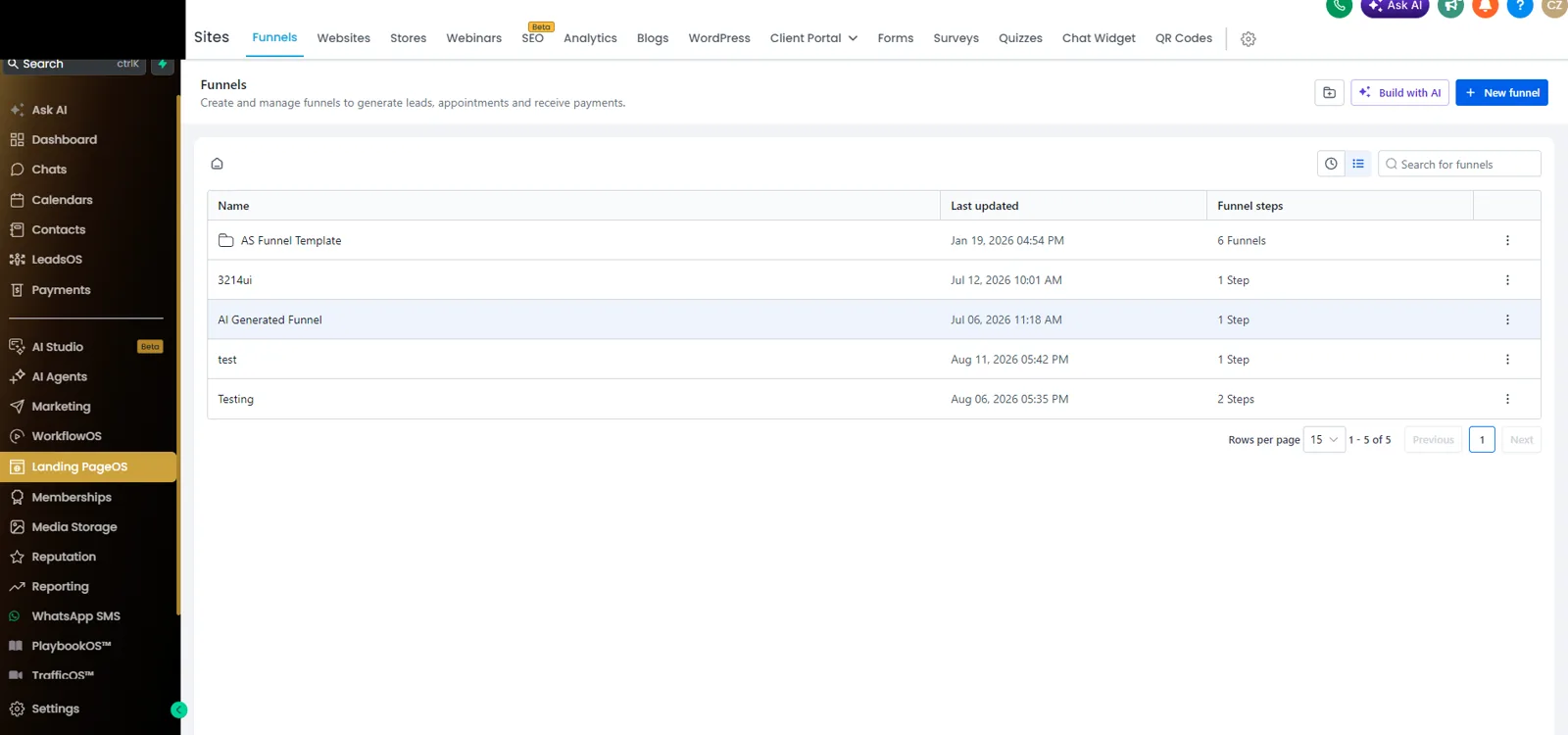
Landing pages and funnels in Landing PageOSLanding pages, sites, forms, surveys and booking pages — without hiring someone to build them.
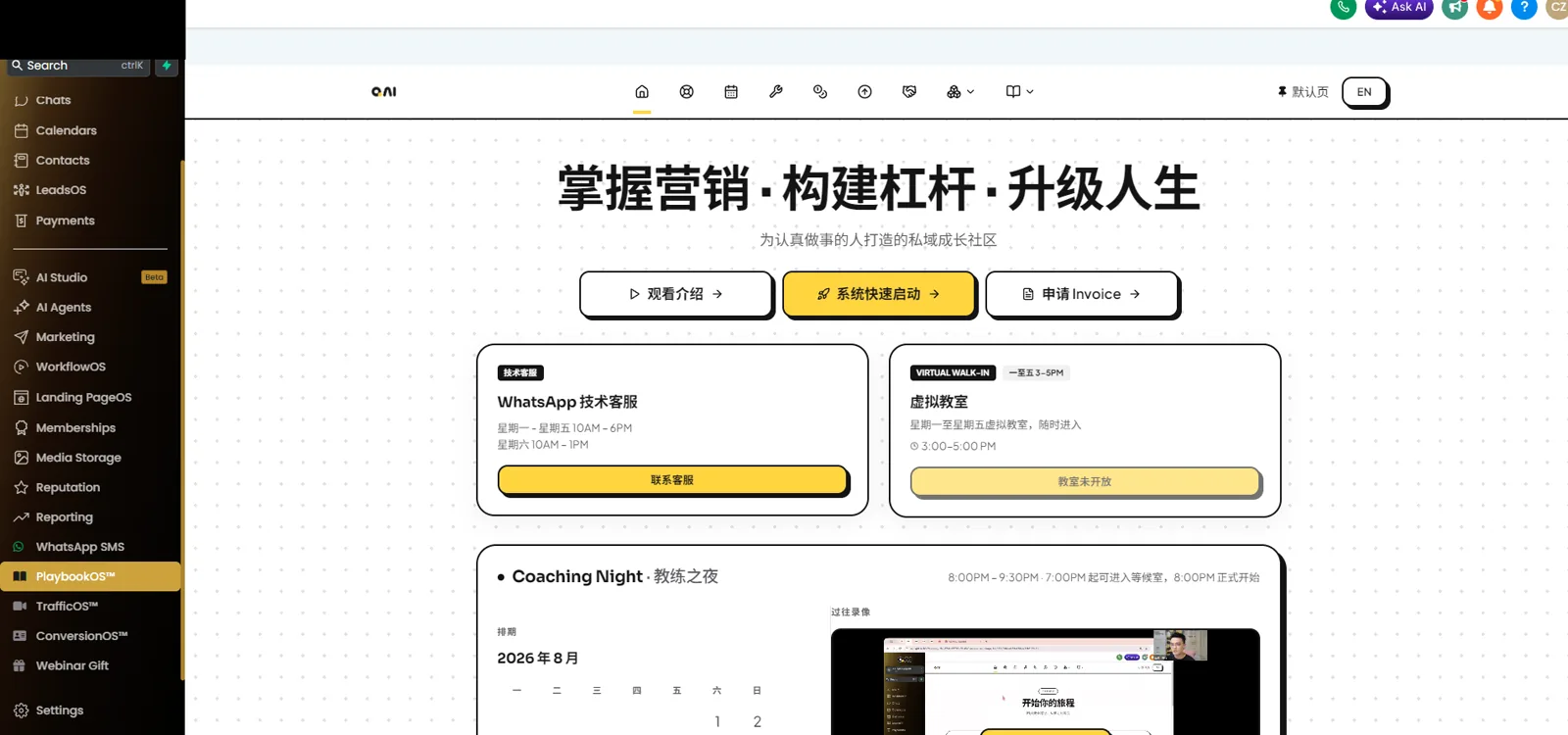
PlaybookOS™ — support once you subscribeWhatsApp support, Virtual Walk-in, and the Coaching Night schedule with past recordings.
The AI can answer for you — but you have to teach it first
This is not a feature that runs by itself the moment you activate. It has to be set up before it knows what to say.
1 · Set up the AI conversation flow
In ConversionOS™, decide what triggers it and which path it takes.
2 · Upload a knowledge base
Upload your price list, service process and common questions so the AI learns your business. The fuller it is, the more accurate the replies.
3 · Replies start running
Only after those two steps does it reply using what you set. Without setup, it does not answer on its own.
The better prepared your material, the faster setup goes. We can sit with you through this part.
What you get when you sign up
Annual subscription. For pricing and how to get started, message our sales team on WhatsApp.
450 Credits on activation
Roughly 450 images, or about 37 videos. 1 credit an image, about 12 credits a video, from 20 credits for a workflow template.
All of Marketing included
No separate QAI Marketing subscription needed. If you already have Marketing and want to upgrade, you don’t buy twice.
Credits follow the account
Credits don’t expire on their own, but if the subscription lapses without renewal the balance goes with it. Use them before then.
You are not left to work it out alone
1 · Activate the account
Once the card is linked and it’s live, each system has its own onboarding flow to walk you through.
2 · Follow the onboarding
Build up the brand profile, product catalog and processes step by step — no guessing the order.
3 · Guideline material on tap
Training and templates inside the platform (AIDA, Digital Human Studio and others), for subscribers only.
Common questions
Can I buy just QAI Agent Platform?
Will the AI really answer customers for me?
How long does setup take?
Where is customer data stored?
Watch it being used first
A 2-hour live session, free.